Initial Setup of the Widget Builder
Learn how to install the Widget Builder as an administrator in Staffbase.
Prerequisites
Ensure the following prerequisites are met:
- The current Staffbase user has the role of an administrator.
- The feature flag
oauthclients_settingsis enabled. You can verify this by checking if there is anOAuth Configurationssection in the left navigation panel of theStaffbase Studio. - A one-time registration of the Widget Builder is required in your Staffbase platform to establish a permanent connection between the Widget Builder and Staffbase.
Follow these steps to complete the setup
-
Visit the Widget Builder App
Go to the Widget Builder (app.widgetbuilder.de) and click onSign up.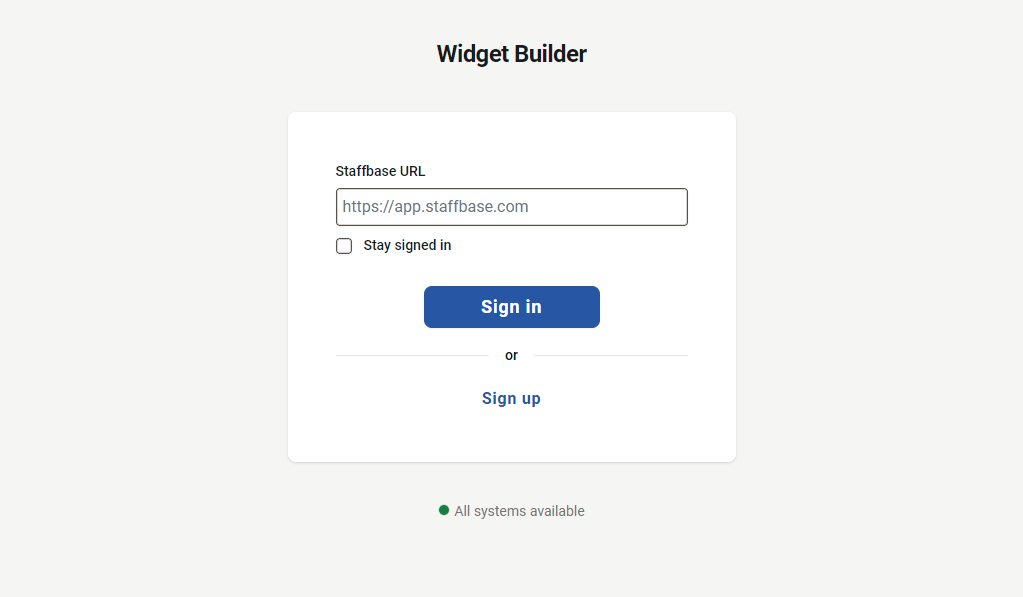
-
Connect to your Staffbase platform
Enter your information and provide theStaffbase URLof your environment and click on theConnectbutton.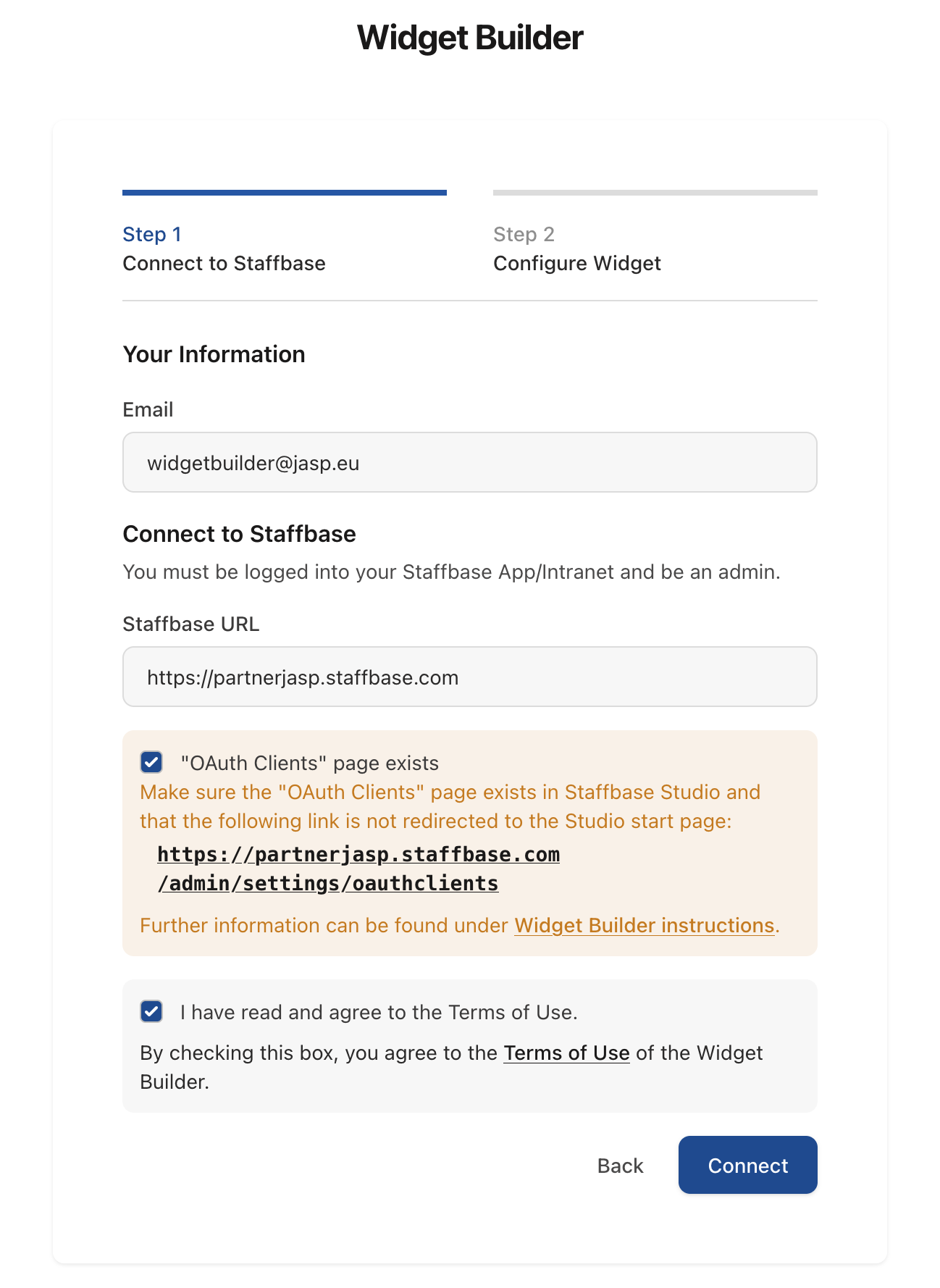
-
Automatic redirection to Staffbase Studio
You will be redirected to theStudioof your Staffbase platform. Click on theCreate & Redirectbutton in the pre-filledSPAdialog that appears.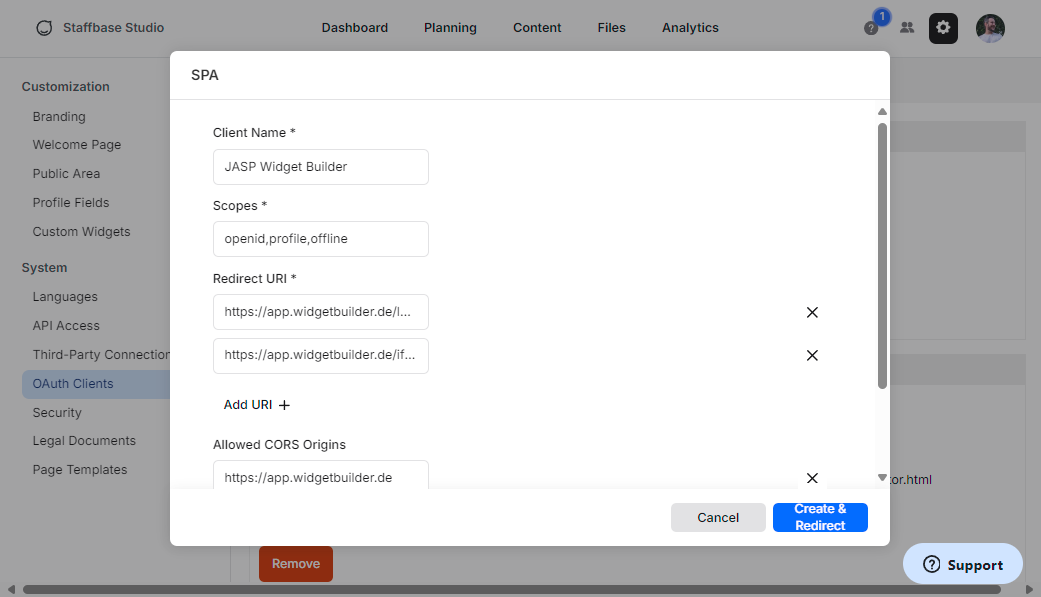
-
OAuth configuration setup
TheOAuth configurationfor the Widget Builder will be automatically created in your Staffbase platform. You will be redirected to theWidget Builderwebsite to finish the registration process.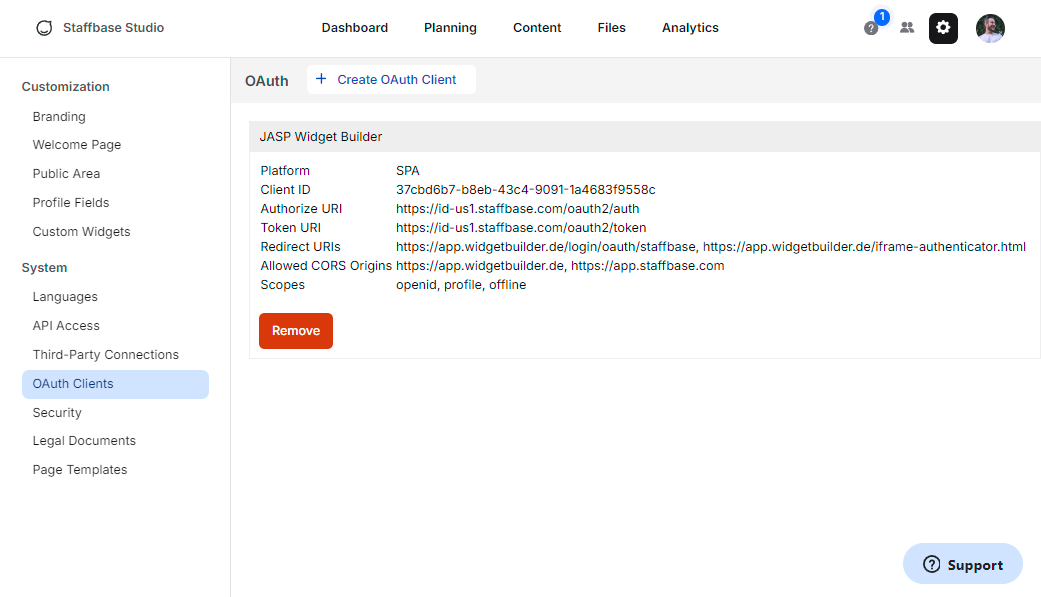
-
Complete the Widget Installation
After the OAuth configuration is set up, the Widget Bundle is automatically added to your Staffbase platform. If this does not happen, follow the detailed instructions in the Manual Widget Installation guide to add the Widget Bundle manually.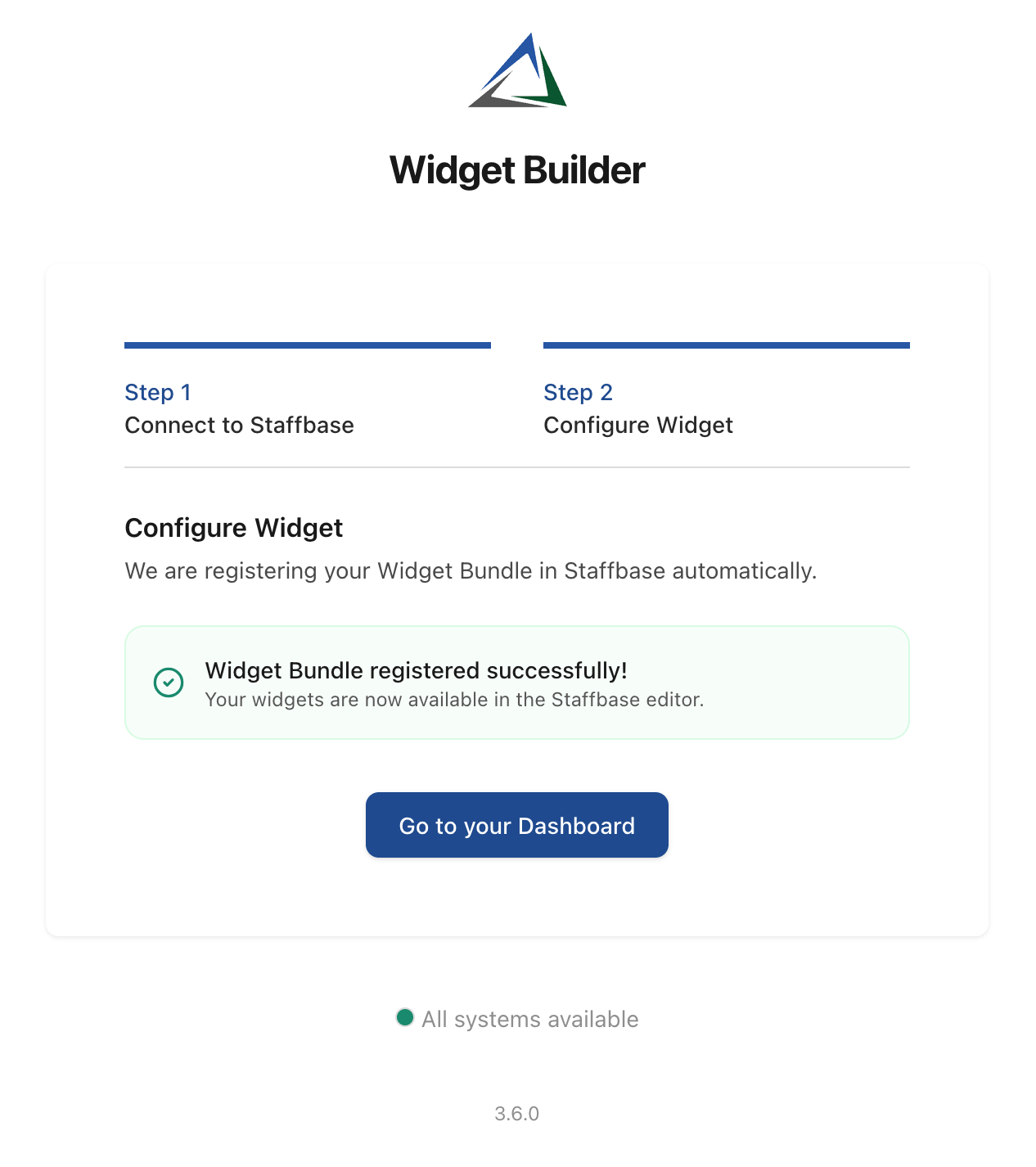
Next Steps
Once the setup is complete, you can:
- Explore the Widget Builder Basics to create your first custom widget
- Check out the Getting Started for a quick guide on how to use the Widget Builder
- Learn about Built-in Widgets that are available out of the box