Initial Setup of the Widget Builder
Learn how to install the Widget Builder as an administrator in Staffbase.
Prerequisites
Ensure the following prerequisites are met:
- The current Staffbase user has the role of an administrator.
- The feature flag
oauthclients_settingsis enabled. You can verify this by checking if there is anOAuth Configurationssection in the left navigation panel of theStaffbase Studio. - A one-time registration of the Widget Builder is required in your Staffbase platform to establish a permanent connection between the Widget Builder and Staffbase.
Follow these steps to complete the setup
-
Visit the Widget Builder App
Go to the Widget Builder (app.widgetbuilder.de) and click onSign up.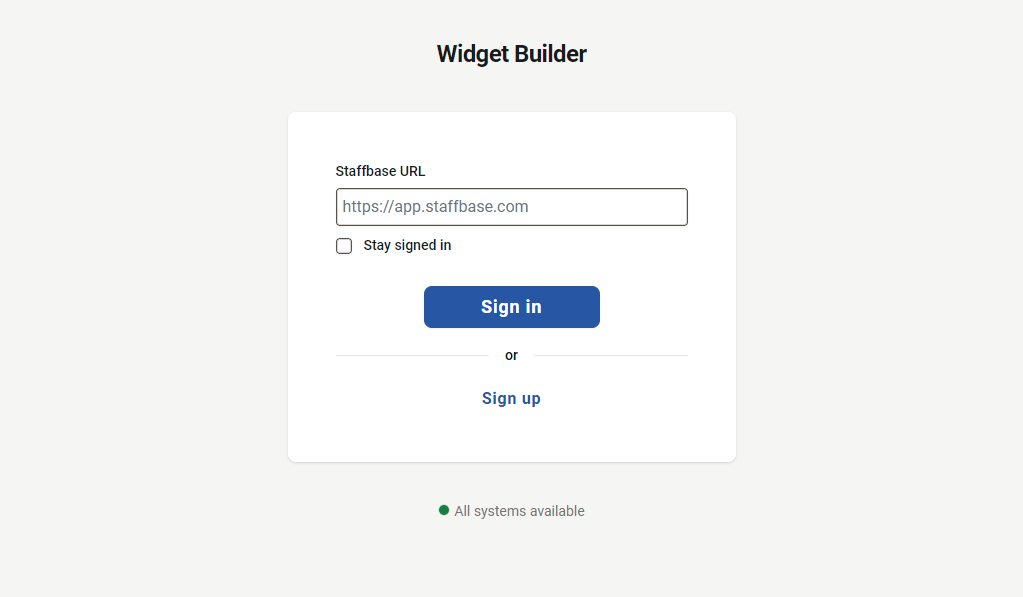
-
Connect to your Staffbase platform
Enter your information and provide theStaffbase URLof your environment and click on theConnectbutton.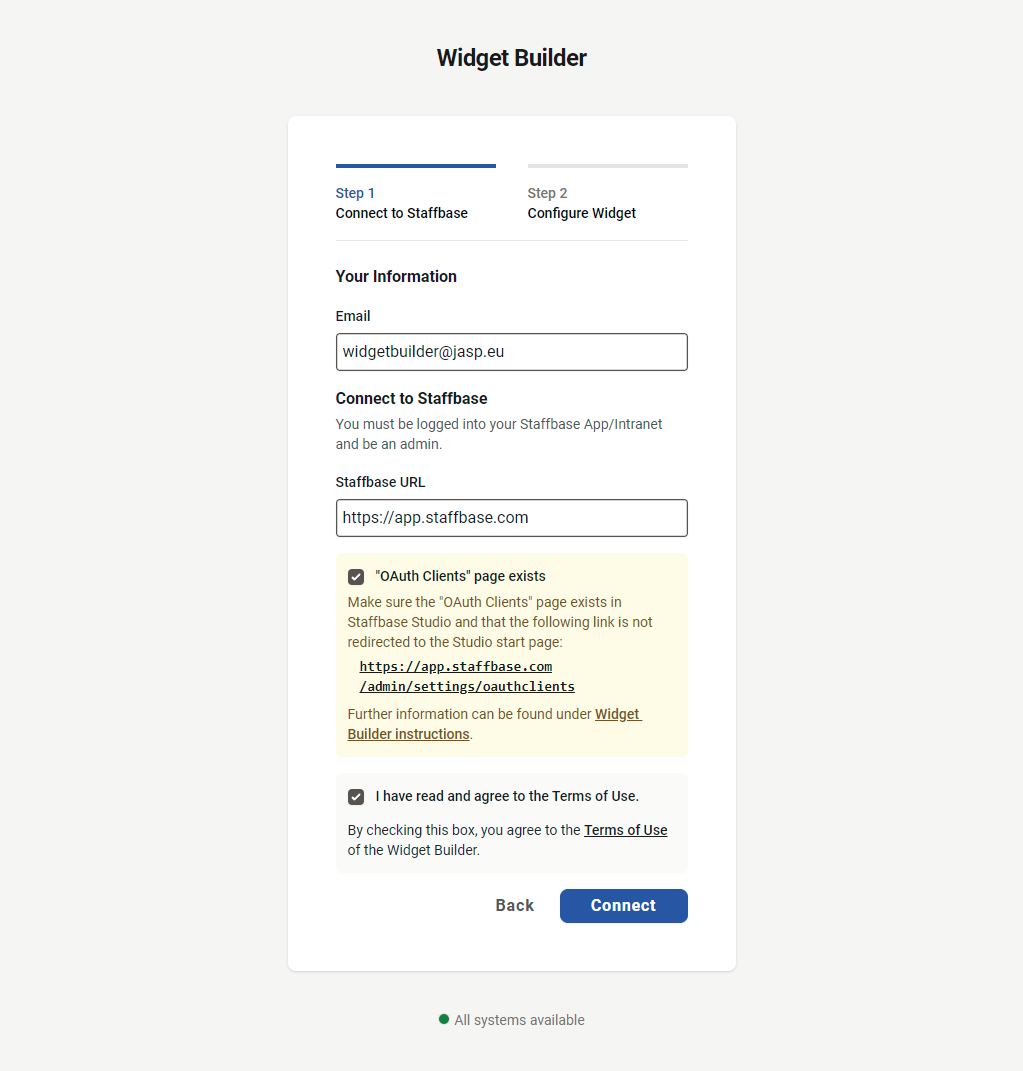
-
Automatic redirection to Staffbase Studio
You will be redirected to theStudioof your Staffbase platform. Click on theCreate & Redirectbutton in the pre-filledSPAdialog that appears.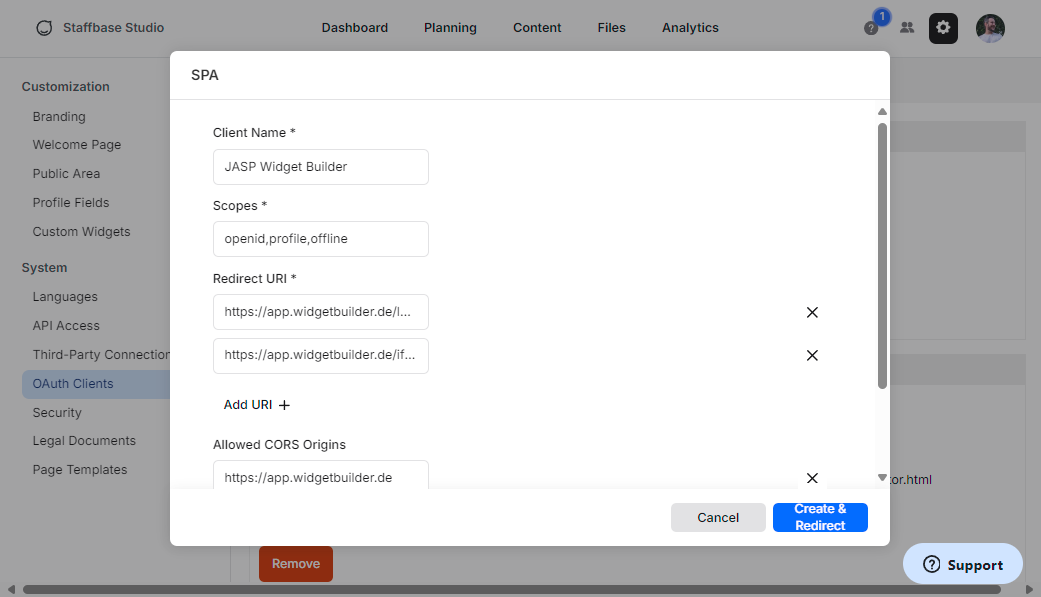
-
OAuth configuration setup
TheOAuth configurationfor the Widget Builder will be automatically created in your Staffbase platform. You will be redirected to theWidget Builderwebsite to finish the registration process.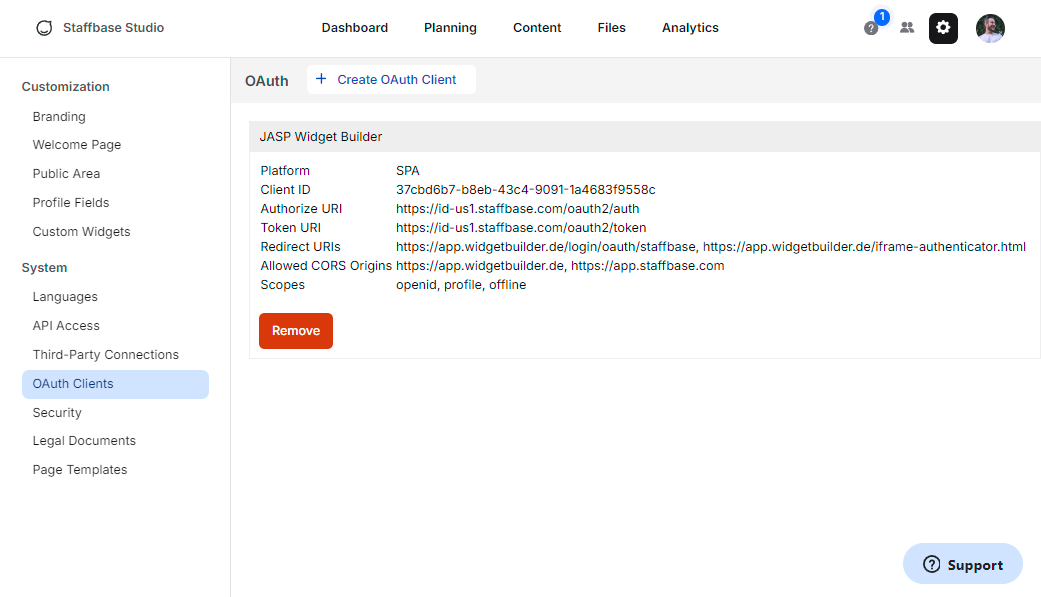
-
Copy the displayed URL
Copy the displayedConfigure-Widget-URL(Widget Bundle URL) on this page to your clipboard and then click on theOpen Staffbase Custom Widget Settings.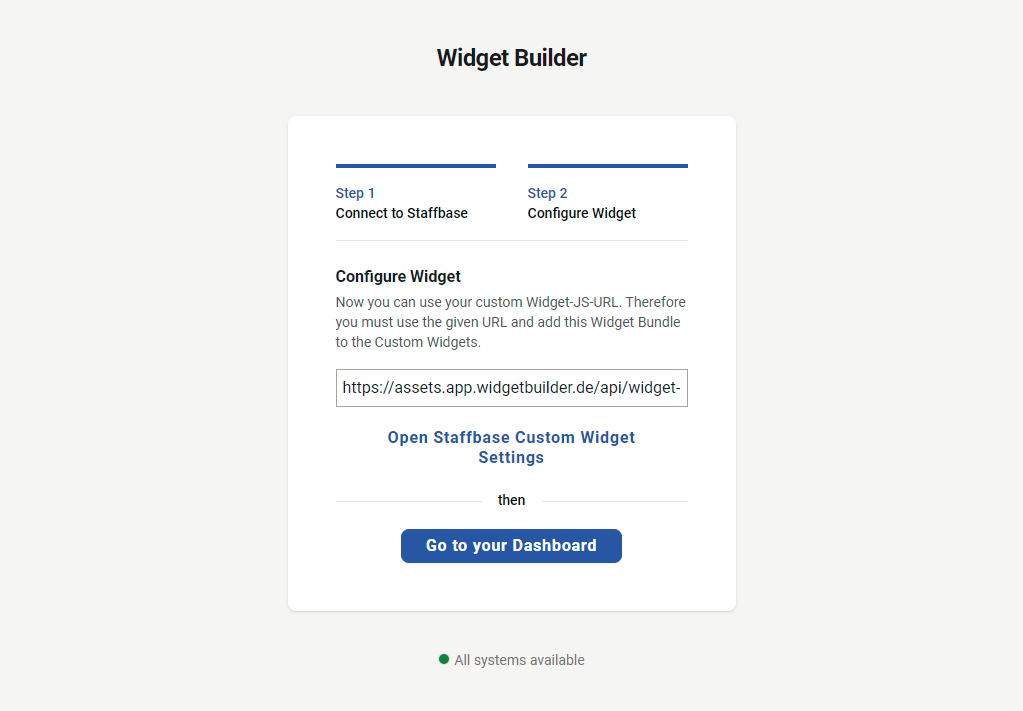
-
Add the Widget Bundle URL
A new tab will open with theCustom Widgetsdialog from StaffbaseStudio. Paste the copiedURLinto theWidget Bundle input fieldand confirm by clicking theInstallbutton.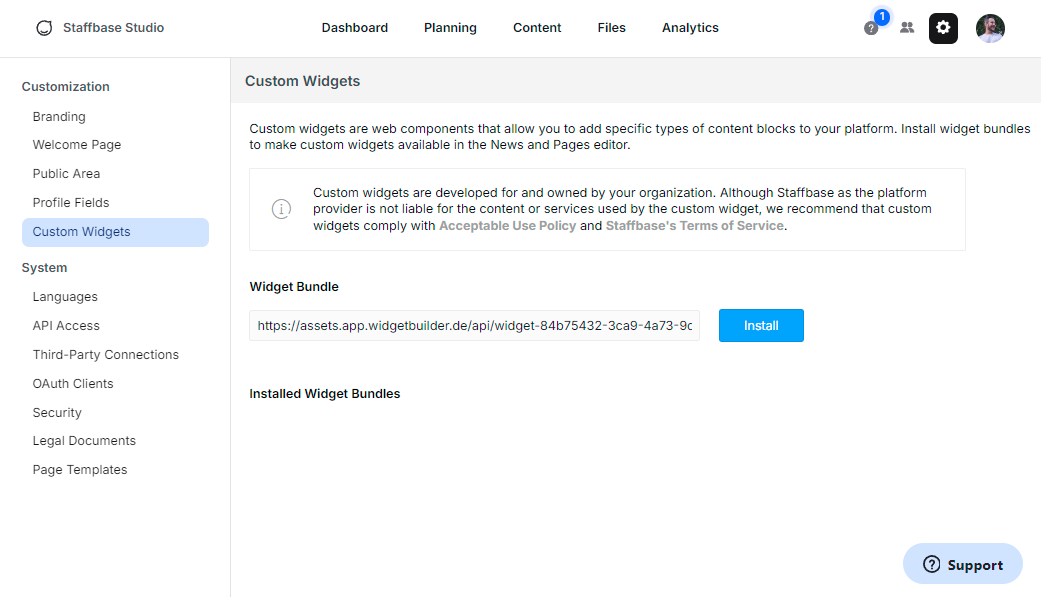
-
Registration completion
The registration process is now complete. All users of the registered Staffbase platform can now log in to the Widget Builder and use it.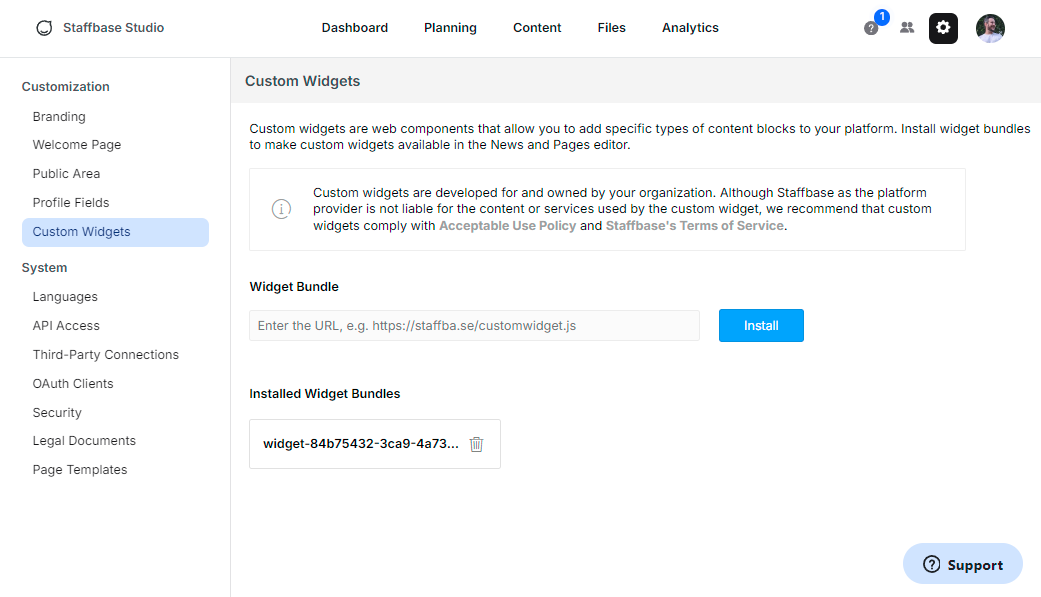
Video Guide
For a visual guide, watch the following video: Sign up | Widget Builder for Staffbase
